

Create your own online TV channel
Upload MP4 videos, build scheduled playlists by day and time, and broadcast like a real TV station. Switch to live at any moment, then return to the schedule — all from one simple control panel.
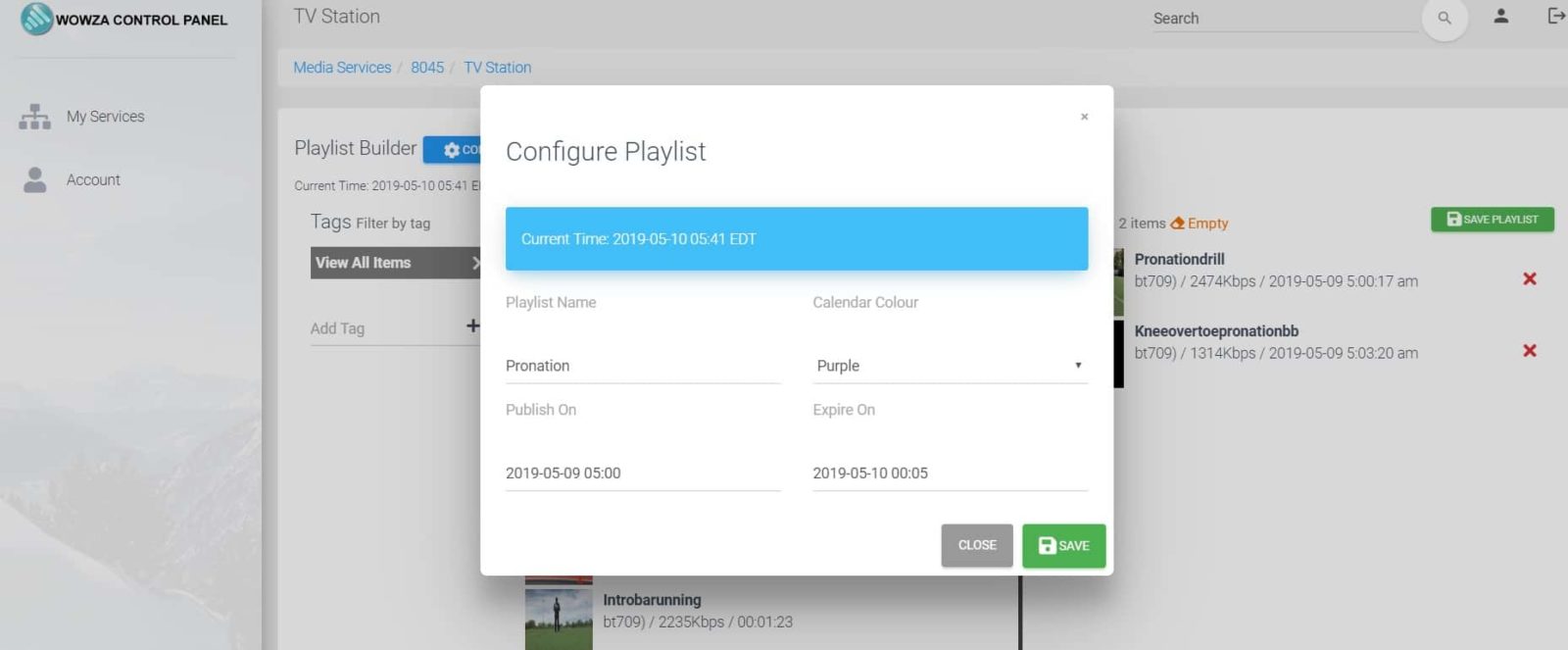
What is an online TV station?
It’s a 24/7 stream that plays your content in a programmed schedule — just like traditional TV, but online. You create shows and blocks from your videos, set when they air, and your audience tunes in at the right time on your site or app.
- Upload videos (MP4) to your library.
- Create playlists and assign them to specific days and time slots.
- Run multiple playlists across the week — mornings, primetime, weekends, specials.
- Interrupt the schedule to go live anytime for breaking news, events, or shows.
- Resume the schedule automatically when your live session ends.
How it works
- Upload MP4s: Add episodes, clips, promos, and filler segments to your media library.
- Build playlists: Drag-and-drop videos into playlists; set start times and durations.
- Schedule by day: Assign different playlists for weekdays, weekends, or special dates.
- Publish: Embed our HTML5 player on your site or use the direct
.m3u8HLS URL in your own player. - Go live anytime: Start a live RTMP input to take over the channel; stop to return to the schedule.
You get three player options out of the box, plus a direct HLS (.m3u8) stream URL you can use in any compatible player or app.
Why run a scheduled TV channel?
Professional experience
Deliver a lean-back, appointment-based experience that feels like a real TV network.
Low cost of entry
Start small and scale as you grow — no studio or broadcast tower required.
Full control
Program your grid, insert promos, run marathons, and pivot to live in seconds.
Everywhere viewing
Embed on your site, share to social, and play on phones, tablets, and TVs via HLS.
Players and HLS (.m3u8) URL
- Built-in HTML5 players (3 styles): pick the one that fits your design.
- Direct HLS URL: use the
.m3u8address in your own player, mobile app, or smart TV app. - RTMP ingest: stream live from OBS or any RTMP encoder to take over the channel.
Try it free for 5 days
Get instant access to the dashboard and test the full TV workflow — upload videos, create playlists, schedule by day, and go live. No credit card required.
During checkout, under Service type, be sure to select “TV Station” (default is “Live Streaming”).
Start free 5-day trialQuick answers
Can I schedule different playlists on different days?
Can I interrupt the schedule and go live?
Do I have to use your player?
.m3u8 HLS URL in your own player or mobile app.