
3 Best Ways for Streaming in DecentralandAt Red5Server, every streaming package includes live streaming, on-demand video, and TV station mode. These features activate automatically when you place an order.
Restreaming, however, is different.
We only enable it manually, after checking your source stream link, because most customers do not send a valid stream.
What is IPTV restreaming?
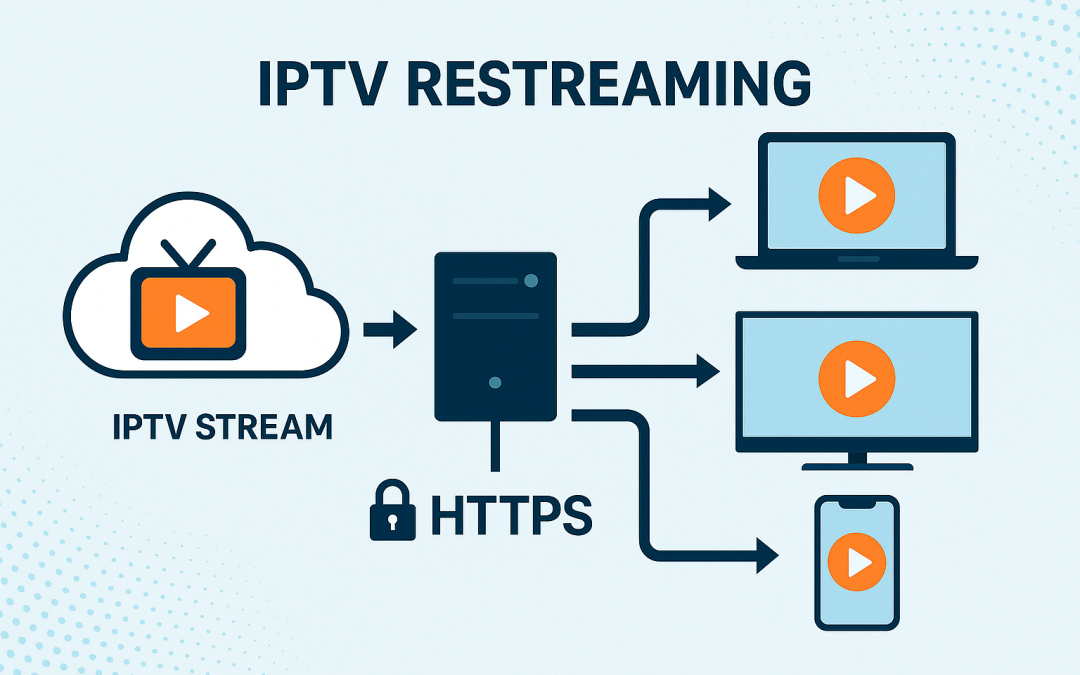
Restreaming means you already have a channel or a video source from another provider and you want us to deliver it again through our servers.
You provide a source stream such as:
- RTMP:
rtmp://... - RTSP:
rtsp://... - HLS:
http://.../playlist.m3u8 - Secure HTTPS stream links
We enter your URL into our system and generate a new, clean, stable, HTTPS output link that works on all devices, all browsers, and all websites.
Example output:
https://yourdomain.com/live/channelname/
This output is compatible with mobiles, tablets, smart TVs, laptops, and embedded players.
Important: Red5Server does not provide IPTV content
To avoid confusion, we must be very clear:
Red5Server does not supply any content.
We do not provide:
- Live TV channels
- Movies or series
- Video-on-Demand libraries
- Catch-up TV
- M3U playlists
- Super admin IPTV portals
- Ready-made IPTV services with content included
We provide only the streaming technology, not the media itself.
The content must be yours.
You must own or legally source the channels, videos, and libraries you want to stream.
Our role is to host, process, secure, and deliver your content using our infrastructure.
Why restreaming is not enabled automatically
Many customers send links that are not real streams. Examples:
- A website instead of a stream
- An offline or empty stream
- A link requiring login/token
- A private or LAN-only stream
- A stream that only works inside a specific app
- A link that does not play in VLC
If a stream cannot play in VLC Player, it will not work with:
- Wowza
- NGINX-RTMP
- Red5
- Any professional streaming server
There are no “Windows streams” or “Mac streams.”
Real streaming protocols are platform-independent.
This is why we enable restreaming manually, only after testing the link.
How to test your stream yourself
Before requesting restreaming, test your URL in VLC Player:
- Open VLC
- Go to Media → Open Network Stream
- Paste your URL
- Click Play
If VLC displays video, restreaming will work.
If VLC cannot play it, we cannot add it.
What happens when you send a working link
Once you confirm the stream works in VLC, open a ticket at:
https://www.red5server.com/customers/submitticket.php?step=2&deptid=2
We will:
- Enable restreaming on your account
- Add your source stream into the system
- Generate a secure HTTPS output URL
- Provide an embed player if you need it
- Let you test everything before making final changes
Advantages of restreaming with Red5Server
- Works on all devices and browsers
- HTTPS output for full compatibility
- Very low latency
- Stable Wowza-powered delivery
- Simple embed player available
- You can use your own domain
- No app required for viewers
- Branding and watermark options available
- Ideal for 24/7 channels
When restreaming is the right solution for you
Restreaming is ideal if:
- You already have valid source streams
- You want to improve stability
- You want your own branded link
- You want to embed channels on your website
- You want to run your own IPTV or media platform
- You want full control over how your content is delivered
If you do not have any content, you can still use Red5Server for:
- Live streaming from mobile, camera, or PC
- Hosting on-demand videos
- TV automation with playlists and schedules
- Creating your own 24/7 streaming channel
We provide the technology, you provide the media.